
Product Page
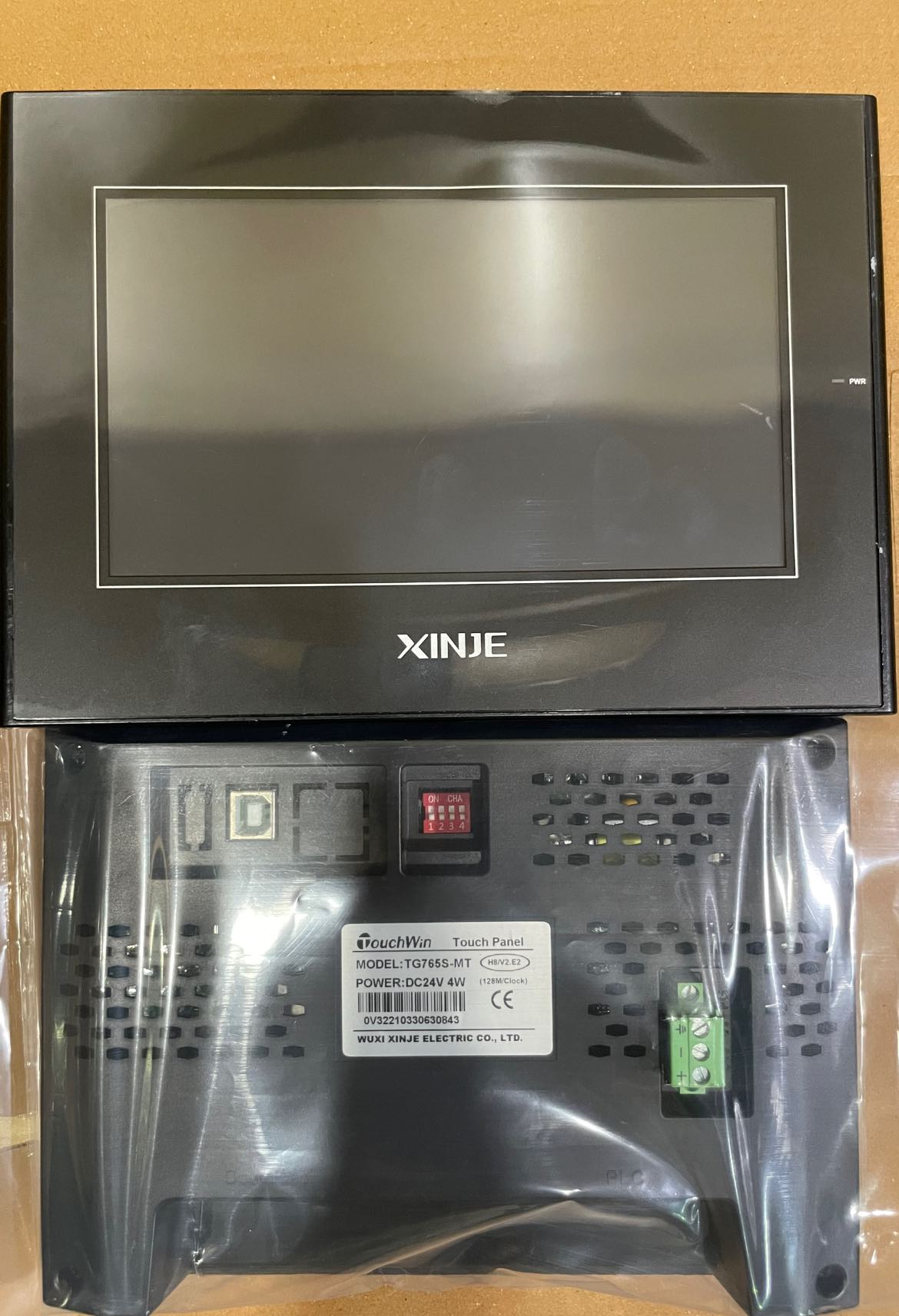
Xinje 7 inches hmi Available
₨0
Need some help?
Contact Us
Product Ships in
2-3-business Days
Payment Methods:
Xinje 7 inches hmi In Lahore Pakistan
Sure! Here’s a detailed product description, usage guide, and key features explanation for the Xinje 7-inch HMI, perfect for your website:
🔹 Xinje 7-Inch HMI (Human-Machine Interface)
The Xinje 7-inch HMI is a versatile and user-friendly touchscreen interface designed for industrial automation. It provides clear visualization and control over machinery and processes, allowing operators to monitor, configure, and manage equipment easily. This compact HMI is ideal for factory automation, packaging, assembly lines, and other industrial applications requiring intuitive human-machine interaction.
✅ Product Details
-
Display Size: 7 inches TFT LCD with 800x480 resolution
-
Touchscreen: Resistive or capacitive touch (model-dependent)
-
CPU: High-performance processor for fast response and smooth operation
-
Memory: Built-in flash memory for storing projects and data
-
Communication Ports:
-
RS232/RS485 serial ports for PLC or device connection
-
USB port for program upload and data transfer
-
Ethernet port (optional models) for network connectivity
-
-
Power Supply: 24V DC
-
Operating Temperature: -10°C to 60°C
-
Programming Software: Xinje EasyBuilder Pro — intuitive drag-and-drop interface for designing screens
-
Mounting: Panel mount with standard dimensions for easy installation
🛠️ How to Use Xinje 7-Inch HMI
-
Installation:
Mount the HMI on your control panel using the provided mounting clips or brackets. Connect the 24V DC power supply. -
Communication Setup:
Connect the HMI’s RS232/RS485 port or Ethernet port to your PLC or industrial controller using appropriate cables. -
Programming:
-
Use EasyBuilder Pro software to design your graphical interface with buttons, indicators, meters, and alarms.
-
Upload the project to the HMI via USB or network connection.
-
-
Operation:
Once programmed and powered on, the HMI displays real-time process data, allowing operators to interact with the machine, adjust parameters, and monitor alarms. -
Maintenance:
Regularly back up your HMI projects and firmware. Clean the touchscreen gently with a soft cloth. Monitor for software updates from Xinje.
🌟 Key Features
-
Bright, Clear Display:
7-inch high-resolution screen offers excellent visibility even in industrial environments. -
Responsive Touchscreen:
Smooth and accurate touch for easy navigation and control. -
Multiple Communication Ports:
Supports RS232, RS485, USB, and Ethernet, allowing flexible connectivity options. -
User-Friendly Programming:
EasyBuilder Pro software simplifies interface design with drag-and-drop tools and pre-built objects. -
Robust Design:
Built to withstand industrial conditions with wide operating temperature and vibration resistance. -
Data Logging & Alarm Management:
Store process data and set up alarms for better monitoring and troubleshooting. -
Compact Size:
Fits standard panel cutouts, saving space in control cabinets.
📌 Typical Applications
-
Industrial automation and machine control
-
Packaging and labeling machines
-
Assembly lines and conveyor systems
-
HVAC systems monitoring
-
Food and beverage processing
-
Water treatment plants
📦 What’s Included
-
Xinje 7-inch HMI Unit
-
User Manual and Quick Start Guide
-
Programming Software (EasyBuilder Pro) - downloadable
-
Mounting accessories


