
Product Page
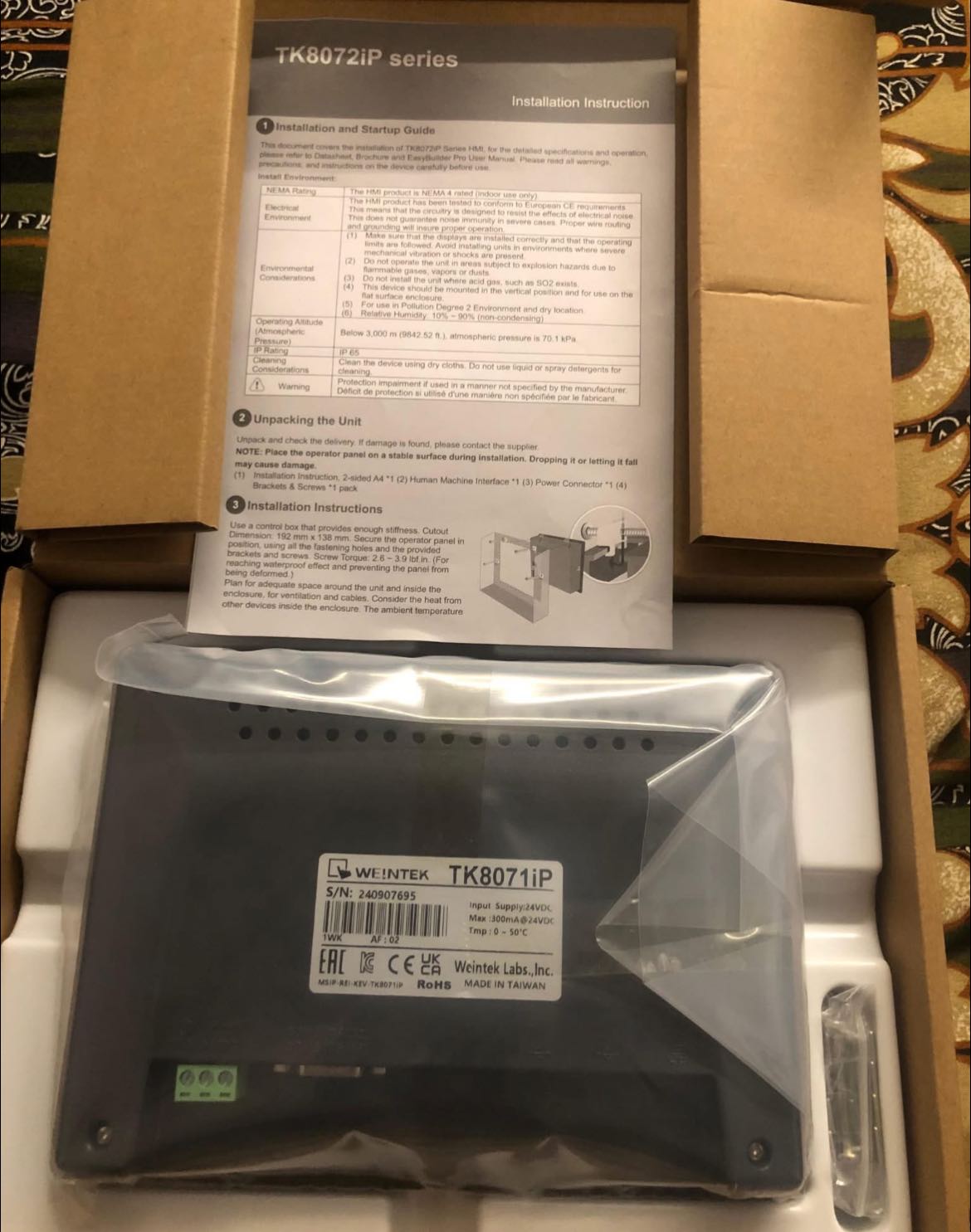
Tk8071ip brand new Available
₨0
Need some help?
Contact Us
Product Ships in
2-3-business Days
Payment Methods:
Tk8071ip In Lahore Pakistan
Here’s a detailed product description for the Weintek TK8071iP HMI designed for your website, including features, usage instructions, and key specs.
Weintek TK8071iP HMI — 7" Industrial Touchscreen Human-Machine Interface
The TK8071iP by Weintek is a powerful, user-friendly 7-inch HMI touchscreen panel ideal for industrial automation. It offers flexible connectivity, robust features, and an intuitive interface to enhance control and monitoring of machinery and processes in manufacturing, packaging, and building automation.
Key Features
-
7-inch TFT LCD Display with 800x480 resolution for clear graphics and touch operation
-
High-Speed Communication: Supports Ethernet, USB, RS-232, and RS-485 interfaces
-
Multiple Protocol Support: Compatible with major PLC brands like Mitsubishi, Siemens, Allen-Bradley, Omron, Modbus TCP/RTU, and more
-
Easy Programming Software: Use EasyBuilder Pro for drag-and-drop interface design and advanced scripting
-
Robust Build Quality: IP65 front panel protection against dust and water, suitable for harsh industrial environments
-
Rich Multimedia Support: Display images, videos, and play sounds for alarms and notifications
-
Data Logging and Trend Analysis: Record process data and display trends for better process control
-
Alarm Management: Configurable alarms with time stamps and notification history
-
Recipe Management: Save and recall multiple parameter sets to streamline production
-
Expandable Memory: Supports SD cards for additional storage and program backup
-
Built-in RTC (Real-Time Clock): Accurate timekeeping for data logging and alarms
How to Use the TK8071iP HMI
-
Design Your Interface
Use EasyBuilder Pro software to create custom screens with buttons, gauges, sliders, alarms, and animations. -
Connect to PLC
Establish communication via Ethernet, USB, or serial ports. Select the appropriate protocol to connect with your PLC. -
Upload and Test
Download the HMI project to the device through USB or Ethernet. Test inputs, outputs, and screen transitions. -
Deploy on the Shop Floor
Mount the HMI on your machine panel or control cabinet. Its IP65 front ensures durability in industrial environments. -
Monitor and Control
Operators can use the touchscreen to start/stop machines, adjust parameters, monitor system status, and review logged data. -
Update and Maintain
Easily update HMI projects or firmware remotely or via USB as needed.
Typical Applications
-
Factory automation and process control
-
Packaging machines and assembly lines
-
HVAC system monitoring
-
Water treatment plants
-
Energy management systems
-
Building automation
Why Choose Weintek TK8071iP?
-
Versatile communication options for easy integration
-
User-friendly programming reduces setup time
-
Rugged design for reliability in tough environments
-
Rich feature set including multimedia and data logging
-
Cost-effective solution for small to medium automation projects


