Product Page
Tk6070ip In Lahore Pakistan
Here’s a professional, SEO-friendly product description for your website or catalog for the Weintek TK6070iP HMI, including features, how to use, and technical details:
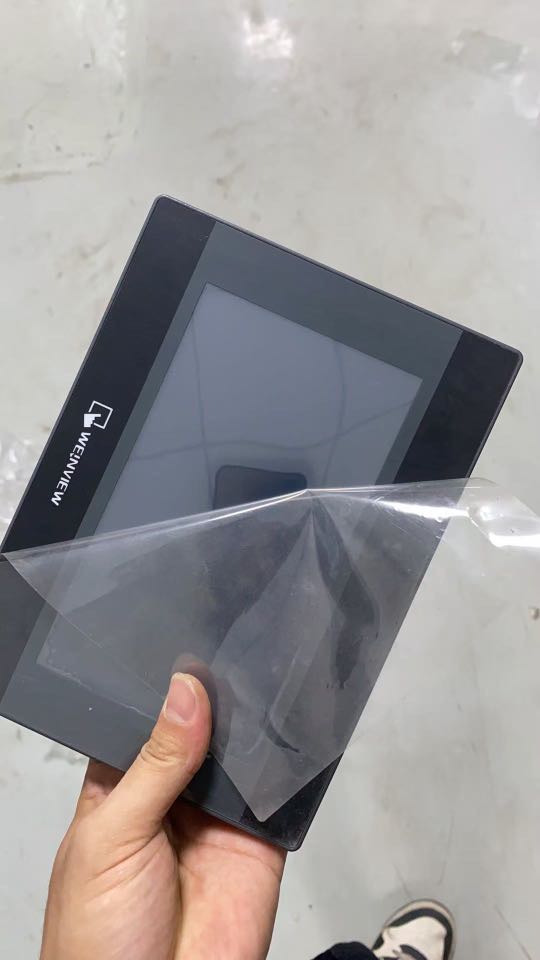
🖥️ Weintek TK6070iP HMI — 7” Industrial Touch Panel Display
The Weintek TK6070iP is a robust and cost-effective 7-inch Human-Machine Interface (HMI) designed for industrial automation. It offers a crystal-clear touchscreen, powerful communication capabilities, and compatibility with major PLC brands. Ideal for machine builders, OEMs, and factory automation systems.
✅ Key Features
-
📺 7-Inch TFT Display
-
Resolution: 800 × 480 pixels
-
65,536 colors for bright and sharp visualization
-
LED backlight
-
-
🖐 4-Wire Resistive Touchscreen
-
Reliable and durable input, perfect for industrial environments
-
-
⚙️ High Performance
-
32-bit RISC CPU (400 MHz)
-
128 MB Flash memory, 64 MB RAM
-
-
🔌 Communication Ports
-
COM1: RS-232
-
COM2: RS-485 (2/4-wire) with MPI support
-
USB Client Port: For programming (Mini USB)
-
-
🔋 Power Supply
-
24V DC (±15%) input
-
-
🌐 Protocol Compatibility
-
Supports Modbus RTU, Siemens MPI, Mitsubishi, Delta, Omron, and many other PLCs
-
-
🛡️ Rugged Design
-
IP65-rated front panel (dust/splash resistant)
-
Panel mountable (cutout: 192 × 138 mm)
-
-
💻 Software Support
-
Programmed using EasyBuilder Pro — powerful and user-friendly software
-
📐 Technical Specifications
| Category | Specification |
|---|---|
| Display | 7” TFT LCD, 800×480 pixels |
| Touchscreen | 4-wire resistive |
| Processor | 32-bit RISC, 400 MHz |
| Memory | 128 MB Flash, 64 MB RAM |
| Communication | RS-232, RS-485 (MPI), USB (Mini) |
| Power | 24V DC (±15%) |
| Operating Temp | 0°C to 50°C |
| Mounting | Panel mount (cutout: 192 × 138 mm) |
| Certification | CE, FCC, RoHS compliant |
🛠️ How to Use the TK6070iP HMI
-
Design Your Interface in EasyBuilder Pro
-
Install EasyBuilder Pro on your PC
-
Create interactive screens with buttons, indicators, trends, alarms, and more
-
-
Configure PLC Communication
-
Select communication port (COM1 or COM2)
-
Set correct baud rate, parity, and PLC protocol (e.g., Modbus, Siemens MPI)
-
-
Upload the Project
-
Connect your PC to the HMI via Mini USB
-
Use EasyBuilder Pro to download the project
-
-
Install the HMI Panel
-
Cut the panel opening (192 x 138 mm)
-
Mount using the provided clamps and power with 24V DC
-
-
Run and Monitor
-
After powering on, your configured interface will be active
-
Use the touchscreen to operate machines or monitor PLC data
-
🔍 Typical Applications
-
Factory Automation
-
Control Panels
-
Packing & Filling Machines
-
Building Management Systems
-
Textile & Printing Machinery
-
HVAC Systems
-
OEM Integration
📦 Package Includes
-
1x Weintek TK6070iP HMI
-
Mounting Brackets
-
User Manual (Digital)
-
Programming Support via USB
-
Free Software (EasyBuilder Pro – Download)