
Product Page
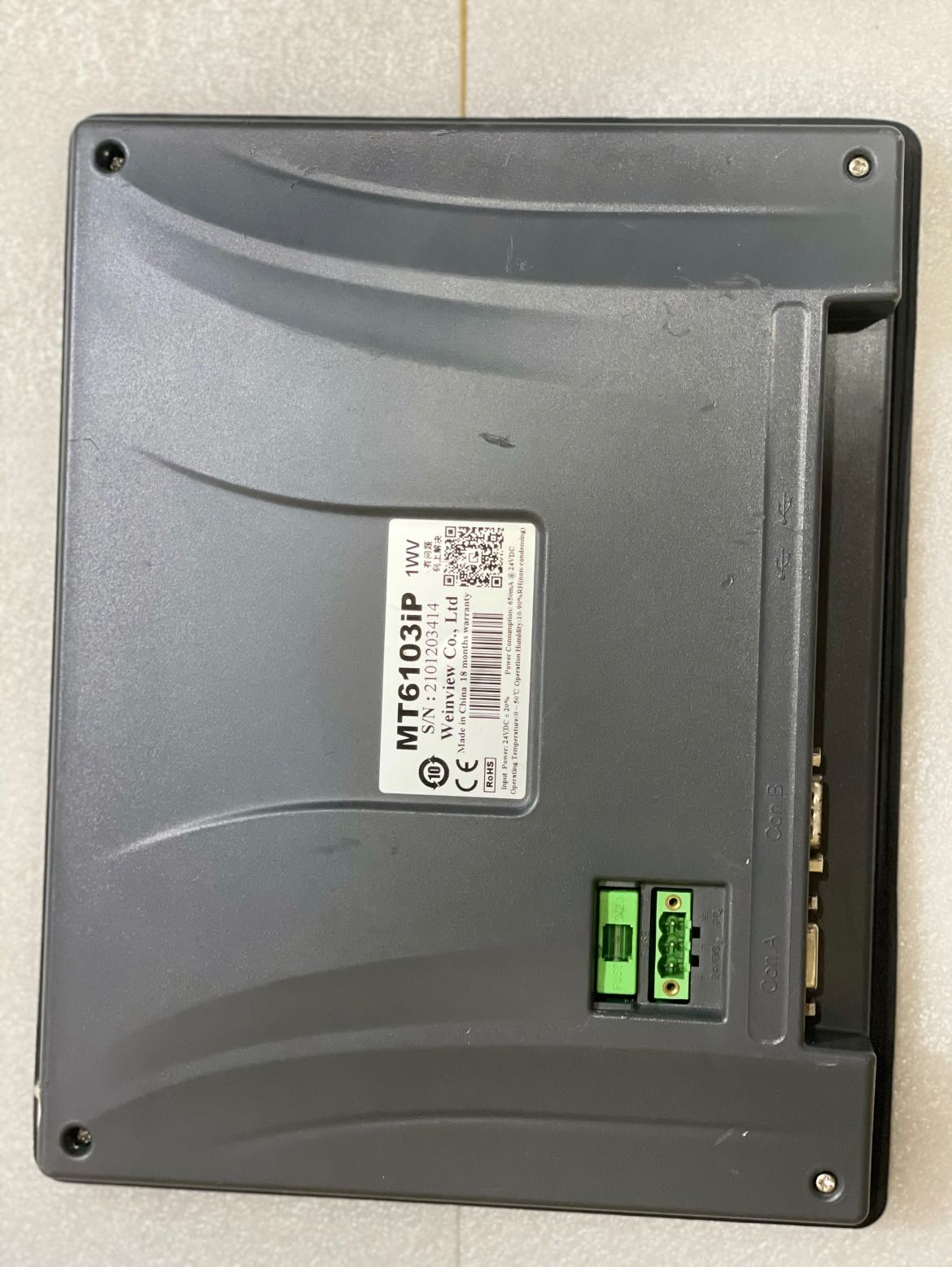
MT6103ip Available
₨0
Need some help?
Contact Us
Product Ships in
2-3-business Days
Payment Methods:
MT6103ip In Lahore Pakistan
Here’s a complete, professional product description for the Weintek MT6103iP HMI (Human Machine Interface), including key features, how to use, and ideal applications—perfect for your website or catalog listing.
🖥️ Weintek MT6103iP HMI
— 10.1" Touchscreen Operator Panel for Industrial Automation
The Weintek MT6103iP is a 10.1-inch HMI (Human Machine Interface) designed for robust industrial use. It features a vivid TFT LCD touchscreen, Ethernet communication, and wide protocol support—making it ideal for real-time process visualization and machine control in automation systems.
✅ Key Specifications
| Feature | Details |
|---|---|
| Display Size | 10.1-inch TFT LCD |
| Resolution | 1024 × 600 (WSVGA) |
| Touch Type | Resistive touchscreen |
| CPU | 32-bit RISC processor |
| Memory | 128 MB Flash / 128 MB RAM |
| Ports | 1x Ethernet (10/100Base-T), 2x COM ports (RS-232/RS-485), USB Host |
| Input Voltage | 24V DC (±15%) |
| Software | EasyBuilder Pro (free software) |
| Certifications | CE, FCC, UL |
| Mounting | Panel mount |
| Protection | Front panel IP65-rated (dust and water resistance) |
🧠 How to Use the MT6103iP
-
Mounting
Install the HMI on a control panel using panel mounting clamps. Ensure a cut-out size matching Weintek’s specifications. -
Wiring & Power
Connect the unit to a 24V DC power supply. Wire communication ports to the PLC, controller, or other devices (Modbus, Siemens, Delta, Mitsubishi, etc.). -
Communication Setup
Configure communication protocols (Modbus RTU, TCP/IP, MPI, etc.) through EasyBuilder Pro software to connect with your devices. -
Design the Interface
Use EasyBuilder Pro to design screens, buttons, indicators, alarms, data logs, and real-time monitoring displays. The drag-and-drop interface allows for fast development. -
Download Project
Upload your project to the HMI using Ethernet or USB. Reboot the HMI, and it will run your interface instantly. -
Monitoring and Updates
Use VNC remote access or pass-through programming features to monitor, update, or program connected PLCs remotely.
💡 Key Features & Benefits
-
High-Resolution Touchscreen
Crisp 1024×600 resolution display for clear visualization of controls, trends, and alarms. -
Powerful Connectivity
Dual serial ports and Ethernet enable connection to multiple PLCs and controllers simultaneously. -
Protocol Support
Supports over 300 PLC protocols including Siemens, Delta, Mitsubishi, Allen-Bradley, Omron, and Modbus. -
Data Logging & Alarm Functions
Built-in features for alarm history, event logs, and data sampling to USB or internal memory. -
Remote Access
VNC support allows remote screen viewing/control from PC or mobile devices. -
Free Development Software
EasyBuilder Pro enables flexible interface creation with no license cost. -
IP65 Front Panel Protection
Withstands dust, oil, and splashing water—ideal for harsh industrial environments.
🏭 Typical Applications
-
Factory automation and control systems
-
Industrial packaging and labeling equipment
-
Water treatment systems
-
Food and beverage machinery
-
Energy management panels
-
Material handling and logistics systems
-
HVAC and building automation
📦 What’s Included
-
MT6103iP HMI Unit
-
Panel mounting clips
-
Power terminal block
-
Quick start guide
-
Access to EasyBuilder Pro software


