
Product Page
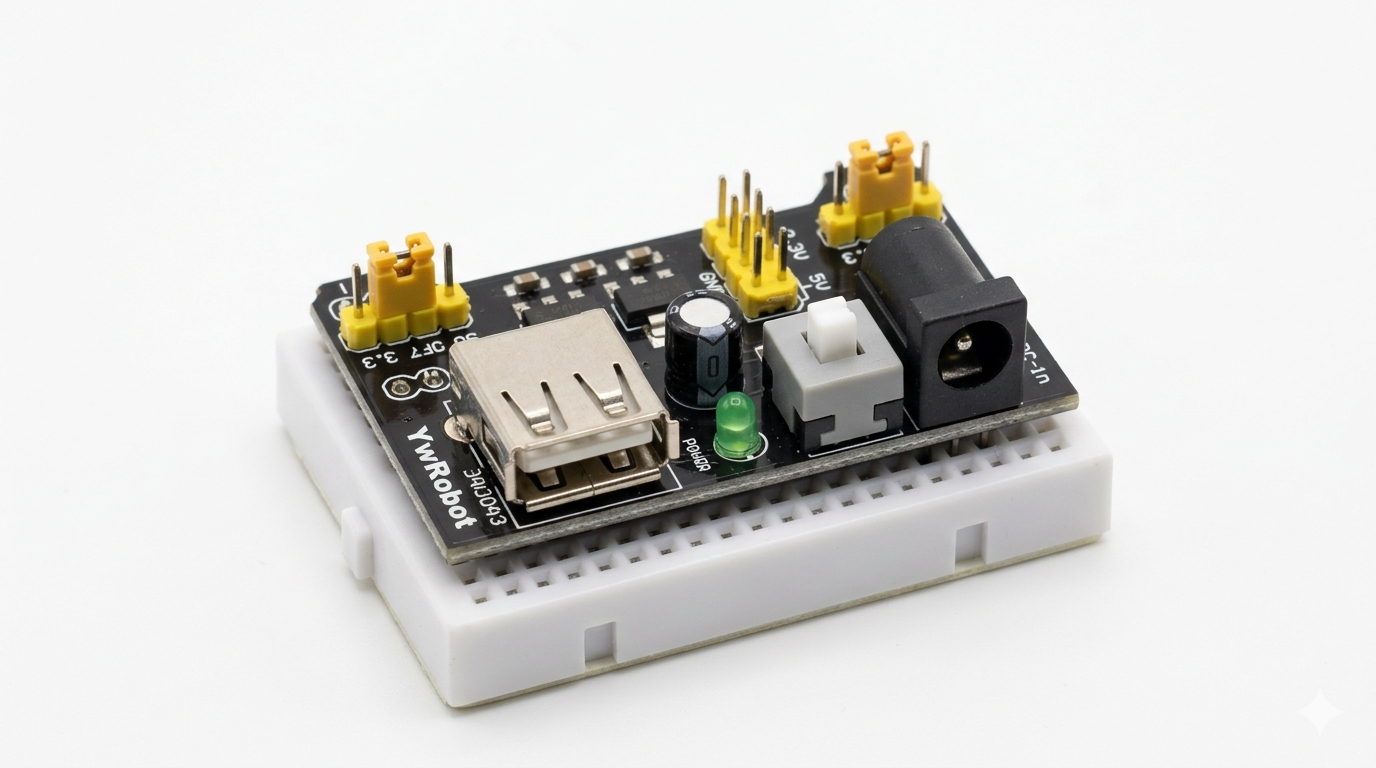
Mb102 Breadboard Power Supply Module 3.3v/5v For Arduino Solderless Bread Board
₨0
Need some help?
Contact Us
Product Ships in
2-3-business Days
Payment Methods:
🔌 MB102 Breadboard Power Supply Module – 3.3V / 5V for Arduino & Solderless Breadboard
✅ Product Overview
The MB102 Breadboard Power Supply Module is a compact and essential tool for electronics prototyping. Designed to plug directly into a standard solderless breadboard, it provides a clean and regulated 3.3V and 5V output, selectable via onboard jumpers.
Ideal for Arduino, Raspberry Pi, ESP8266, and other microcontroller-based projects, this power module is powered by either a DC barrel jack (7–12V) or USB input, making it highly versatile for bench or portable use.
✨ Key Features
-
🔌 Dual Output Voltage: 3.3V and 5V regulated outputs
-
⚡ Dual Rail Powering: Powers both breadboard power rails independently
-
🛡️ Onboard Voltage Regulators: AMS1117-3.3 and AMS1117-5.0 for stable power
-
🔄 Voltage Selection Jumpers: Switch between 3.3V or 5V per rail
-
🧩 Compatible with MB102 breadboards (standard 830-point layout)
-
🔋 Two Power Input Options: USB (5V) or DC jack (7–12V recommended)
-
💡 Power Status LEDs: Visual indicator for power-on status
-
🔒 Built-in Protection: Short-circuit and over-current protection
📐 Specifications
| Specification | Details |
|---|---|
| Input Voltage (DC Jack) | 6.5V – 12V DC |
| Input Voltage (USB) | 5V USB |
| Output Voltages | 3.3V / 5V (selectable via jumper) |
| Output Current (max) | Up to 700mA total |
| Regulators | AMS1117-3.3, AMS1117-5.0 |
| USB Port | USB-A female (for power input only) |
| On/Off Switch | Yes |
| Power Rails | Dual output for both sides of breadboard |
| Dimensions | ~5.3cm × 3.5cm |
🧰 How to Use the MB102 Power Supply Module
🛠️ Step-by-Step Guide:
-
Insert the Module into a solderless breadboard (compatible with MB102 layout).
-
Select Output Voltage:
-
Use jumpers to choose 3.3V or 5V for each power rail (left/right).
-
-
Connect Power Source:
-
Option 1: Use a DC adapter (center-positive, 7–12V recommended)
-
Option 2: Plug in via USB port (5V USB cable or power bank)
-
-
Flip the Switch ON – Power LED lights up.
-
Start powering your Arduino, ESP8266, sensors, or other components directly from the breadboard rails.
⚠️ Note: Do not use USB and DC input at the same time. Choose one power source only.
🎯 Applications
-
Powering Arduino/ESP/Raspberry Pi prototypes
-
Breadboard testing of sensors, LEDs, ICs, and modules
-
Educational and electronics learning kits
-
Rapid prototyping and circuit development
-
Power supply for small robotics projects
📦 What’s Included
-
1 × MB102 Breadboard Power Supply Module
-
2 × Voltage selection jumpers (pre-installed)
🏷️ Suggested SEO Product Titles
-
MB102 3.3V/5V Breadboard Power Supply Module for Arduino – USB & DC Input
-
Dual Voltage Breadboard Power Module – MB102 Compatible, 3.3V/5V Output
-
MB102 Power Supply Adapter Module for Solderless Breadboard Projects
⚠️ Important Usage Tips
-
Maximum output is limited to 700mA — not suitable for motors or high-power devices
-
Ensure correct jumper selection before powering devices
-
Always check for proper polarity and input voltage range
-
Use only with standard MB102 solderless breadboards


