
Product Page
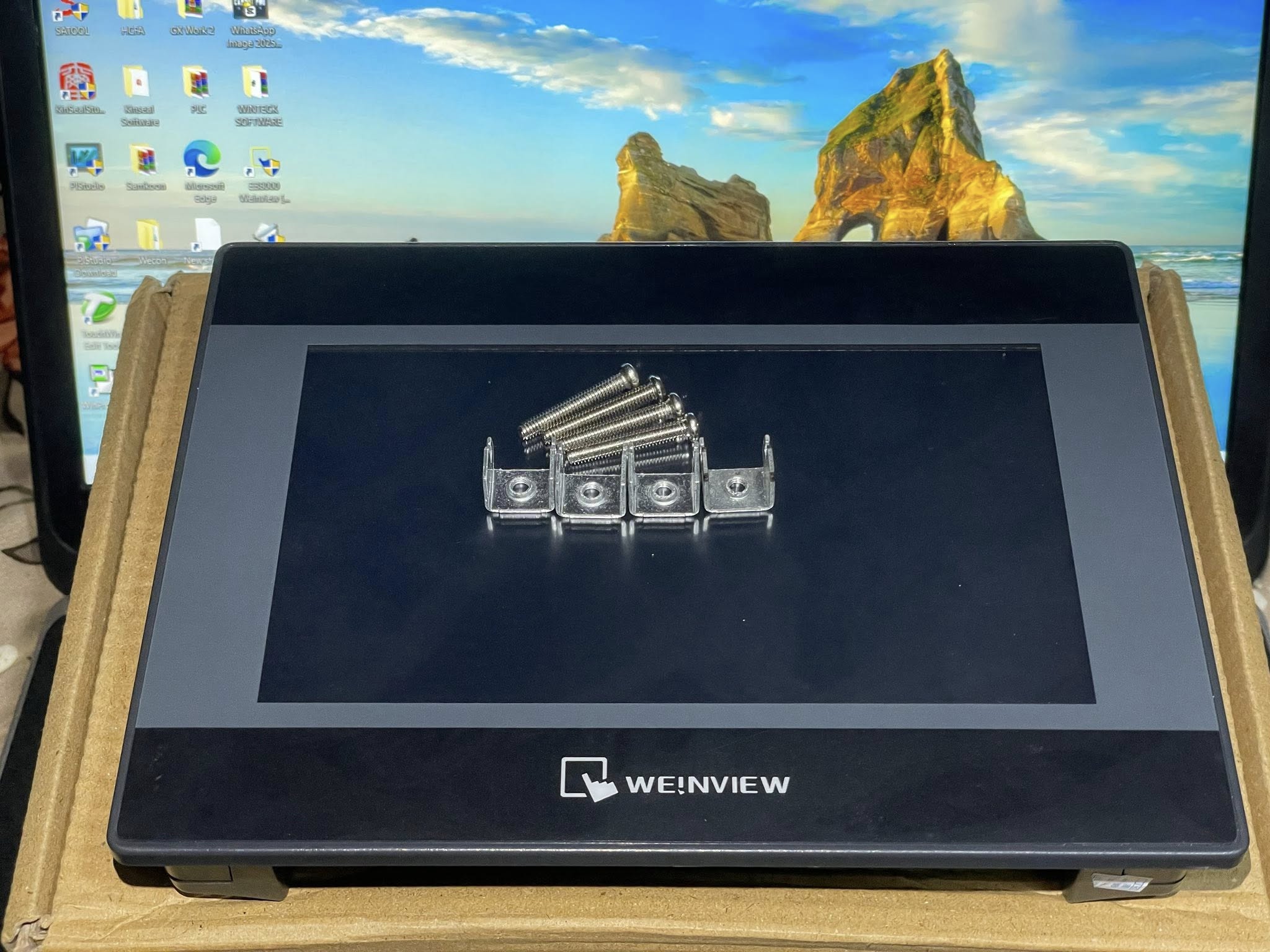
𝐓𝐊6070𝐢𝐏 𝐇𝐌𝐈 in Lahore Pakistan
Here’s a complete product detail for the 𝐖𝐞𝐢𝐧𝐭𝐞𝐤 𝐓𝐊6070𝐢𝐏 𝐇𝐌𝐈, tailored for use on your website, catalog, or product listing — including specs, features, and a how-to-use guide:
🖥️ 𝐖𝐞𝐢𝐧𝐭𝐞𝐤 𝐓𝐊6070𝐢𝐏 𝐇𝐌𝐈 – 𝟕” 𝐈𝐧𝐝𝐮𝐬𝐭𝐫𝐢𝐚𝐥 𝐓𝐨𝐮𝐜𝐡 𝐃𝐢𝐬𝐩𝐥𝐚𝐲
The Weintek TK6070iP HMI is a reliable, compact Human-Machine Interface designed for small to mid-size automation projects. Featuring a responsive 7-inch touchscreen and wide protocol support, it simplifies operator interaction with control systems such as PLCs.
🔍 Product Specifications
| Specification | Detail |
|---|---|
| Display Size | 7” TFT LCD |
| Resolution | 800 × 480 (WVGA), 65,536 colors |
| Touchscreen | 4-wire resistive touch panel |
| CPU | 32-bit RISC processor, 400 MHz |
| Flash Memory | 128 MB |
| RAM | 64 MB |
| COM Ports | COM1: RS-232, COM2: RS-485 (2/4 wire), MPI support |
| USB Port | USB 2.0 (Mini USB Client, for programming) |
| Power Input | 24V DC (±15%) |
| Front Panel Rating | IP65 (dust/splash resistant) |
| Mounting Type | Panel Mount (cutout: 192 × 138 mm) |
| Operating Temp | 0°C ~ 50°C |
| Software | Compatible with EasyBuilder Pro |
| Certifications | CE, FCC, RoHS |
🌟 Key Features
-
✅ Compact & Affordable: Ideal for OEM and budget-conscious industrial applications
-
🎨 Bright Display: 7" TFT screen with rich color output for clear data visibility
-
🔌 Versatile Communication: RS-232, RS-485, and MPI support for easy PLC integration
-
💻 USB Programming: Quick project upload with Mini USB
-
🧠 User-Friendly Software: Works seamlessly with EasyBuilder Pro for fast HMI development
-
🔐 Security Functions: Password protection, user access levels
-
📈 Supports Trending, Logging & Alarms (if configured in software)
-
🌐 Multi-Protocol Support: Compatible with Siemens, Delta, Mitsubishi, Omron, Modbus, and more
🛠️ How to Use the TK6070iP HMI
-
Design Your Interface
-
Use EasyBuilder Pro software to create interactive screens.
-
Add buttons, indicators, numeric inputs, alarms, and data trends.
-
-
Configure Communication
-
Choose the correct COM port (RS-232 or RS-485).
-
Match the PLC communication settings (baud rate, parity, etc.).
-
Use built-in drivers for popular PLC brands.
-
-
Transfer the Project
-
Connect a Mini USB cable from your PC to the HMI.
-
Use EasyBuilder Pro to download the project to the TK6070iP.
-
-
Mount the HMI
-
Cut an opening in your panel: 192 × 138 mm
-
Use provided clamps to secure the HMI.
-
-
Power On & Test
-
Connect 24V DC to power the unit.
-
Test all screen elements and communication with the PLC.
-
-
Deploy
-
Start using your HMI to monitor and control your automation system.
-
✅ Typical Applications
-
Factory Automation Systems
-
Packing Machines
-
Textile Equipment
-
HVAC Control Panels
-
Water Treatment Plants
-
OEM Control Panels
📦 What’s Included
-
1x TK6070iP HMI Panel
-
Mounting brackets
-
User manual (digital)
-
USB programming support
-
Free EasyBuilder Pro software (downloadable)


