Product Page

Arduino Uno R3 SMD Board Kit Without USB Cable
₨0
Need some help?
Contact Us
Product Ships in
2-3-business Days
Payment Methods:
Arduino Uno R3 SMD Board Kit Without USB Cable in Lahore Pakistan
🔷 Arduino UNO R3 SMD Board Kit (Without USB Cable)
✅ Product Description
The Arduino UNO R3 SMD Board Kit is a compact and reliable open-source development board based on the ATmega328P SMD (Surface Mount Device) microcontroller. It offers all the functionality of a classic UNO R3 but features a surface-mounted ATmega328P chip for reduced cost and enhanced durability.
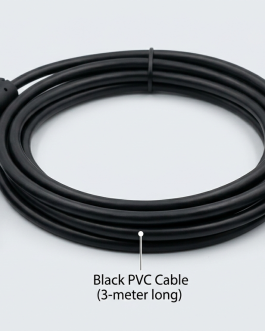
This version does not include a USB cable, making it perfect for bulk installations, classrooms, or for users who already have compatible cables.
Ideal for beginners, students, and professionals working on electronics, robotics, and IoT projects, this board is compatible with the full Arduino ecosystem — including shields, sensors, libraries, and the Arduino IDE.
✨ Key Features
-
💻 ATmega328P SMD microcontroller – powerful and efficient
-
⚙️ 14 Digital I/O pins (6 PWM outputs)
-
📶 6 Analog input pins
-
🔄 Resettable polyfuse for USB protection
-
🔌 USB-B port for programming and power (cable not included)
-
📦 Standard pin headers – compatible with most Arduino shields
-
🔋 Can be powered via USB or external adapter (7–12V recommended)
-
🧠 Pre-loaded with Arduino bootloader
-
🔄 Fully compatible with Arduino IDE
📐 Specifications
| Specification | Detail |
|---|---|
| Microcontroller | ATmega328P (SMD package) |
| Operating Voltage | 5V |
| Input Voltage (rec.) | 7–12V |
| Input Voltage (range) | 6–20V |
| Digital I/O Pins | 14 (of which 6 provide PWM) |
| Analog Input Pins | 6 |
| DC Current per I/O | 20 mA |
| Flash Memory | 32 KB (0.5 KB used by bootloader) |
| SRAM | 2 KB |
| EEPROM | 1 KB |
| Clock Speed | 16 MHz |
| USB Interface | CH340 or ATmega16U2 (varies by version) |
| Dimensions | 68.6mm × 53.4mm |
🧰 What’s Included
-
1 × Arduino Uno R3 SMD Board
-
1 × Header Pins (pre-soldered)
-
❌ USB Cable Not Included
🖥️ How to Use (Quick Start Guide)
🧩 Step 1: Connect the Board
-
Use a USB-B cable (not included) to connect the UNO R3 to your computer.
-
You can also power it using a DC barrel jack (7–12V) or Vin pin.
💽 Step 2: Install the Arduino IDE
-
Download the latest Arduino IDE from https://www.arduino.cc
-
Install USB drivers if using CH340 chip.
⚙️ Step 3: Select Board & Port
-
In the IDE:
-
Tools > Board > Arduino UNO
-
Tools > Port > [Your COM Port]
-
🧪 Step 4: Upload a Sketch
Upload your first program — e.g., the "Blink" example:
📦 Applications
-
Learning embedded programming
-
Prototyping IoT devices
-
Smart home automation projects
-
Robotics and motor control
-
Interfacing with sensors and displays
-
Educational use in STEM programs
🛡️ Notes
-
This is the SMD version of Arduino UNO R3 — the microcontroller is soldered (non-removable).
-
No USB cable is included — ensure you have a USB Type-B cable for programming.
-
Some variants may include CH340 USB chip instead of ATmega16U2.
🏷️ Suggested SEO Product Titles
-
Arduino UNO R3 SMD Compatible Development Board – No USB Cable
-
UNO R3 SMD Board Kit (ATmega328P) – USB Cable Not Included
-
Arduino UNO Compatible SMD Version for DIY Projects and Learning