
Product Page
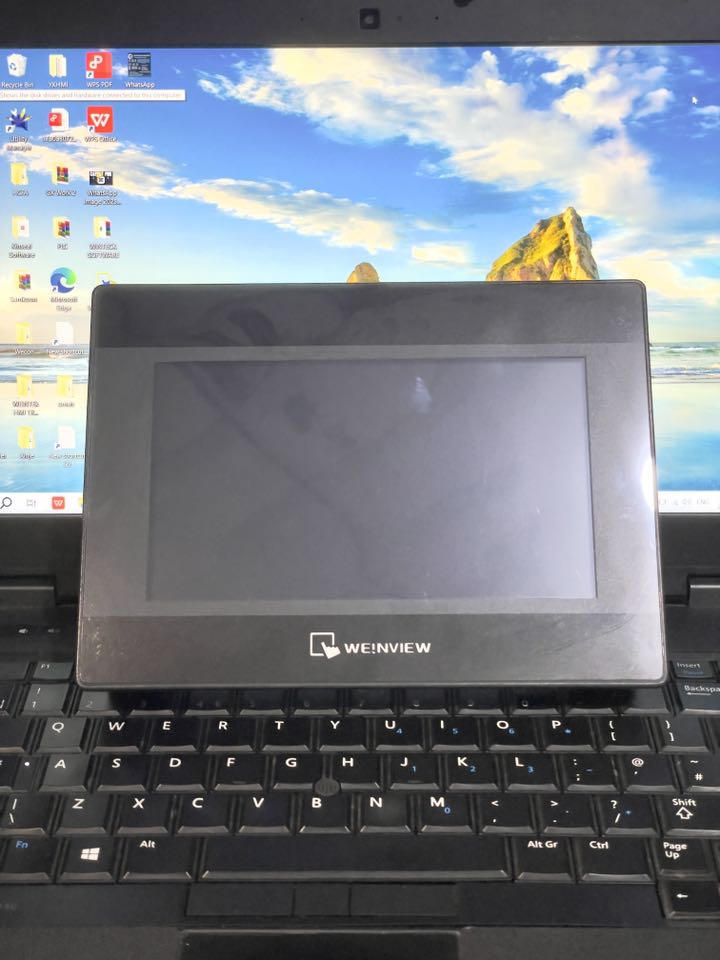
Weintek TK6070iP HMI in Lahore Pakistan
Product Details — Weintek TK6070iP HMI
Display & Touch Panel
-
7″ TFT LCD with 800 × 480 pixel resolution, supporting 65,536 colors for clear and vibrant visuals Automation Ponnokwoco-plc.comhmivietnam.vn.
-
Equipped with a 4‑wire resistive touch screen offering accuracy of ±2% in both axes Automation Ponnohmivietnam.vn.
Processing & Memory
-
Powered by a 32‑bit RISC CPU running at 400 MHz Automation Ponnokwoco-plc.com.
-
Includes 128 MB Flash (program storage) and 64 MB DRAM (operational memory) Automation Ponnokwoco-plc.com.
Connectivity & I/O
-
One Mini USB client port (USB 2.0) for programming via EasyBuilder Pro Automation Ponnokwoco-plc.com.
-
COM1: RS‑232; COM2: RS‑485 (2‑ or 4‑wire), with support for MPI at 187.5 kbps, enhancing PLC integration Automation Ponnohmivietnam.vn.
Design & Durability
-
IP65-rated front panel protection (NEMA4 equivalent) for resistance against dust and splashes Automation Ponnohmivietnam.vn.
-
Compact housing: 200.4 × 146.5 × 34 mm, panel cutout 192 × 138 mm, weight approximately 0.52 kg Automation Ponnohmivietnam.vn.
-
Wide operating temperature from 0 °C to 50 °C and humidity tolerance of 10%–90% (non‑condensing) Automation Ponnohmivietnam.vn.
-
Certifications include CE and EMI/EMC standards like EN55022/24, EN61000‑3, AS/NZS CISPR22 Automation Ponnohmivietnam.vn.
Software Compatibility
-
Programmed with EasyBuilder Pro (EB8000) – typically version v4.65.06 or later, Simplified Chinese interface (some distributors offer translated versions) Automation PonnoHMI Việt Nam.
How to Use the TK6070iP HMI
-
Design the Interface
Use EasyBuilder Pro on your PC to create your screens—graphics, buttons, displays, alarm indicators, etc. -
Configure Communication Settings
Select and set up the COM port parameters (RS‑232 or RS‑485) to communicate with your PLC or control system. Enable MPI if required hmivietnam.vnAutomation Ponno. -
Upload Project to Device
Connect via the Mini USB cable to transfer your HMI project to the TK6070iP. Supply power at 24 V DC before uploading. -
Mounting
Carefully install the HMI using the measured cutout size (192 × 138 mm). The IP65 front allows for cleaning and ensures a robust industrial fit. -
Operate and Monitor
Once powered, the UI you’ve created will be actionable via touch. The device can log data and communicate with PLCs as configured. -
Maintenance Tips
-
Keep a backup of your project files on your PC.
-
Clean the screen gently—IP65 front resists dust, but avoid harsh abrasion.
-
Check connectors and firmware versions; occasionally update EasyBuilder Pro if needed.
-
Feature Snapshot
| Feature | Details |
|---|---|
| Screen | 7″ TFT, 800×480, 65K colors, LED backlight |
| Touch | 4‑wire resistive, ±2% accuracy |
| Performance | 32‑bit RISC CPU @ 400 MHz |
| Memory | 128 MB Flash + 64 MB RAM |
| Connectivity | USB 2.0 (Client), RS‑232, RS‑485 (MPI support) |
| Durability | IP65 front, panel mounting, CE & EMC standards |
| Software | EasyBuilder Pro (EB8000 v4.65+), Chinese by default |


