
Product Page
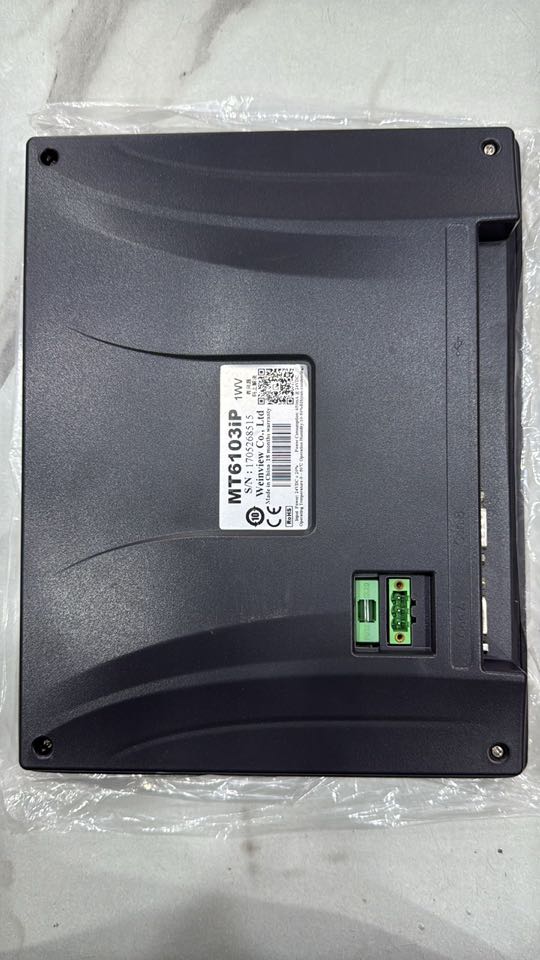
Wenwiew Hmi Modle Mt6103ip Available
₨0
Need some help?
Contact Us
Product Ships in
2-3-business Days
Payment Methods:
Wenwiew Hmi Modle Mt6103ip in Lahore Pakistan
Here are several high-resolution images of the Weintek (often misspelled “Wenwiew”) HMI model MT6103iP, captured from different angles and contexts to help you familiarize yourself with the device.
Product Overview — Weintek MT6103iP (HMI)
Display & Touch Panel
-
10.1″ TFT LCD with a 1024 × 600 (WSVGA) resolution, 16.2–16.7 million colors for sharp, vivid visuals https://laptrinhtudong.com/+1.
-
Equipped with a 4‑wire resistive touch panel—reliable even when wearing gloves, making it ideal for industrial environments https://laptrinhtudong.com/+1.
Performance & Memory
-
Powered by a 32‑bit RISC Cortex‑A8 CPU running at 600 MHz kwoco-plc.comhttps://laptrinhtudong.com/.
-
Memory includes 128 MB each of Flash and RAM (some variants mention 256 MB Flash or RAM) https://laptrinhtudong.com/manualzz.com.
Connectivity
-
Interfaces include:
-
Multiple COM ports (RS‑232 and RS‑485) in flexible configurations kwoco-plc.comhttps://laptrinhtudong.com/.
-
USB 2.0 Host and Micro‑USB Client ports for connections and programming kwoco-plc.comhttps://laptrinhtudong.com/.
-
Ethernet (on some versions) for Modbus TCP, VNC, and remote access https://laptrinhtudong.com/.
-
Design & Durability
-
The front panel meets IP65/NEMA4 standards, offering protection against dust and splashes kwoco-plc.comhttps://laptrinhtudong.com/.
-
Power input is 24 VDC (±20%), with internal insulation and robust design against vibration kwoco-plc.comTechonics Ltd.
-
Compact panel dimensions: 271 × 213 × ~36 mm with a 260 × 202 mm cutout; weight is around 1 kg kwoco-plc.comHall Road.
Software & Special Features
-
Programs using EasyBuilder Pro—an intuitive, drag‑and‑drop interface builder, succeeding EB8000 Hall RoadKEPdisplays.
-
Has features such as data logging, multilingual support, alarm/email notifications, password protection, and remote monitoring https://laptrinhtudong.com/.
How to Use It
-
Design the Interface
Use EasyBuilder Pro on your PC to create the HMI interface. Add buttons, indicators, alarms, charts, etc. -
Configure Communication
Set up communication parameters to connect the HMI with your PLC or control system. Standard protocols include Modbus, Ethernet/IP, and others supported by EasyBuilder Pro FastToBuyHall Road. -
Download to Device
-
Connect via Micro‑USB or Ethernet to transfer your HMI project to the MT6103iP.
-
Ensure the device's docking is powered at 24 VDC.
-
-
Mount and Deploy
-
Install the panel using the cutout dimensions provided; the IP65 front allows cleaning and protection in industrial use.
-
Power on and verify the UI elements — buttons, tags, indicators — operate correctly.
-
-
Monitor & Maintain
-
Use logging, alarms/email notifications, remote viewing (VNC/EasyAccess), and password protection—depending on your project features https://laptrinhtudong.com/.
-
Periodically back up your HMI projects via USB or SD card (if supported).
-
Useful “Features” at a Glance
| Feature | Description |
|---|---|
| Robust Display | 10.1″, 1024×600, rich color, wide viewing angles |
| Durable Touch Panel | Resistive 4‑wire—works even with gloves |
| Powerful Processing | 600 MHz Cortex‑A8 with up to 256 MB memory |
| Flexible Interfaces | RS‑232/485, USB Host/Client, Ethernet, COM ports |
| Industrial Build | IP65 front panel, vibration resistance, CE certified |
| Rich Software Features | EasyBuilder Pro, data logging, alarms, multi‑language |


